

Release Notes
New features, fixes, and improvements across the platform.
Bridge Scheduling
With Bridge Scheduling, you can create and manage custom booking pages directly on Bridge.
Create a page, share a link, visitors pick a time, calendar events get scheduled, and everything flows back into Bridge. No back-and-forth emails required.
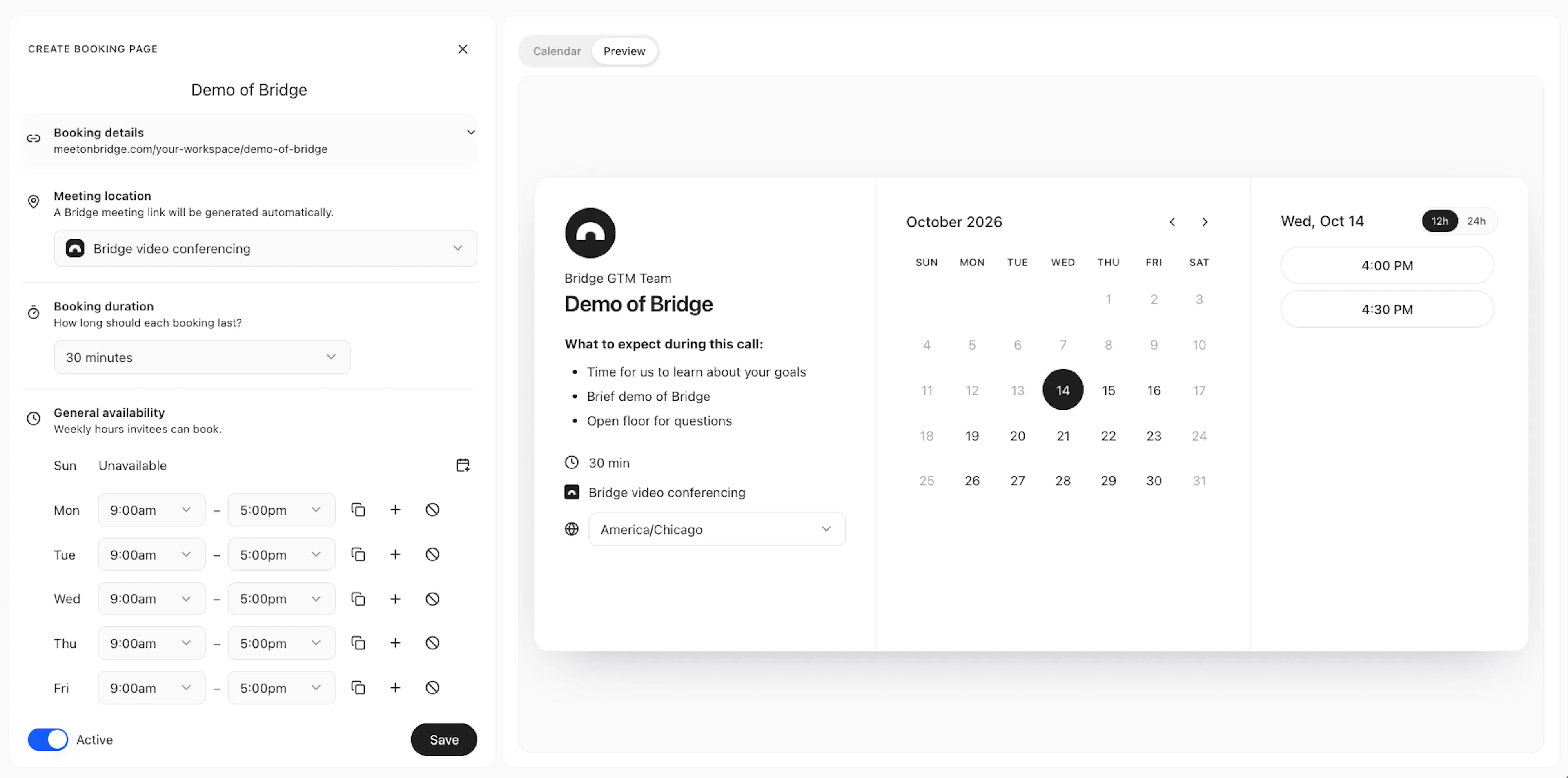
Set up once, reuse anytime:
- Booking Details: a title, host, description, and custom link.
- Duration: 15, 30, 45 or 60 minutes, or a custom length.
- Dynamic Availability: calendar sync, custom slots, and more.
- Location: Bridge Conferencing, custom location, or in-person.
- Scheduling Methods: one host, round robin, or collective.
But wait, there's more
- Custom Forms: customize intake fields exactly as needed.
- Notifications: confirmations, reminders, and updates.
- Connectors: automate scheduling workflows in your tools.
- Meet Now: let stakeholders start a meeting instantly.
Bridge makes booking simple, intuitive, and seamlessly integrated with the rest of your meeting workflow.
See Configure booking pages to learn more.
Workspace Notifications
You can now see all your activity in one place with the notification panel in the sidebar.
Notifications bring together activity across your workspace, including invites to meeting notes, reminders before meetings, scheduled agent messages, meeting access requests, and more.
Configure how you receive them across three channels, In-app, Email, and Slack, from Account settings → Preferences → Notifications.
See Notifications on the Sidebar page to learn more.
Calendar view on the Meetings page
The Meetings page now has a Calendar view so you can see all of your upcoming, live, and completed meetings in a lightweight calendar view.
Unlike typical calendars, selecting an event in the Bridge calendar view will open up the Brief for upcoming meetings or Recap for completed meetings.
This way, you can quickly jump into your meeting intelligence directly from the calendar view you're already familiar with.
See Find meetings to learn more.
Video conferencing improvements
Control who joins your meetings, get audio cues throughout the meeting, and other improvements.
Meeting access controls
Hosts can now control who joins meetings with three access modes:
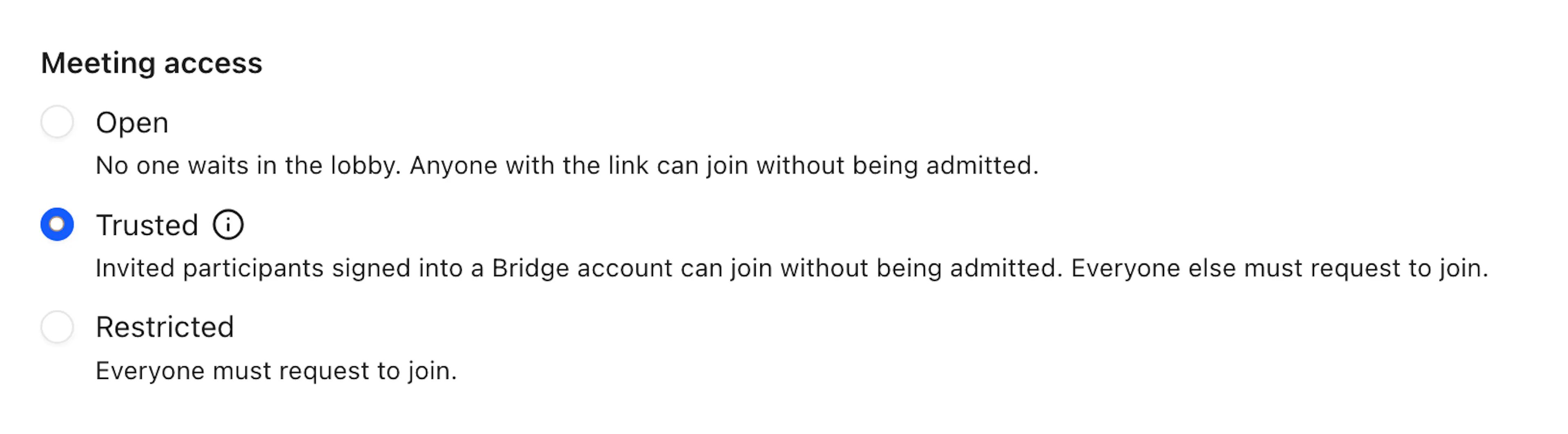
- Open — anyone with the link joins instantly.
- Trusted — invited participants with Bridge accounts can join directly; everyone else must request access.
- Restricted — all participants must request access before joining.
Controls are available in account and session preferences.
See hosting meetings.
Meeting chimes
Audio cues are now part of the conferencing experience:
- Request to join chime (only hosts hear this chime)
- Successfully joined chime (all participants hear)
- Exit chime (only the participant)
- Drop-in meeting ringtone (only invited participant)
- “Are you still there?” countdown (only the participant)
Additional enhancements:
- Session Preferences in Briefs: Before a meeting starts, you can now configure your session preferences (host controls, meeting tools, video and audio, etc) for that specific meeting.
- Screen sharing: Picture-in-picture (PiP) now shows shared screens above participant tiles, never crops screensharing content, and displays a 'You're presenting' indicator.
- Meeting recording: Recorded meetings now include camera-off tiles and screen shares, recording button shows loading state while starting/stopping
- Recap sharing: Recap guests can now use the Assistant directly, and auto-shared recaps support configurable access (specific people or anyone with the link). See sharing notes.
Introducing Bridge
The workspace for human AI meetings.
For the first time in history, people and AI agents can meet and work together as true collaborators.