

Scheduling
Let people book time with you through public booking pages that sync with your connected calendar and connected apps.
Schedule time with external guests
Scheduling lets you create public booking pages so people can book time with you. Each booking page syncs with your connected calendar to check availability and automatically sends calendar invites with a Bridge meeting link.
Connect a Google Calendar or Outlook Calendar before creating a booking page. See Connect a calendar for setup instructions.
The scheduling page
Open Scheduling in the Bridge workspace to manage all your booking pages in one place. Each page shows its name, duration, meeting location, host, public booking URL, and status.
From the scheduling page, you can:
- Create a new booking page
- Edit an existing page and change its settings
- Search and filter existing pages
- Copy the public link to share the page
- Open the public page in a new browser tab
- Share the page with your workspace
- Toggle the page between active and inactive to control whether visitors can book
- Delete a booking page.
Creating and managing pages
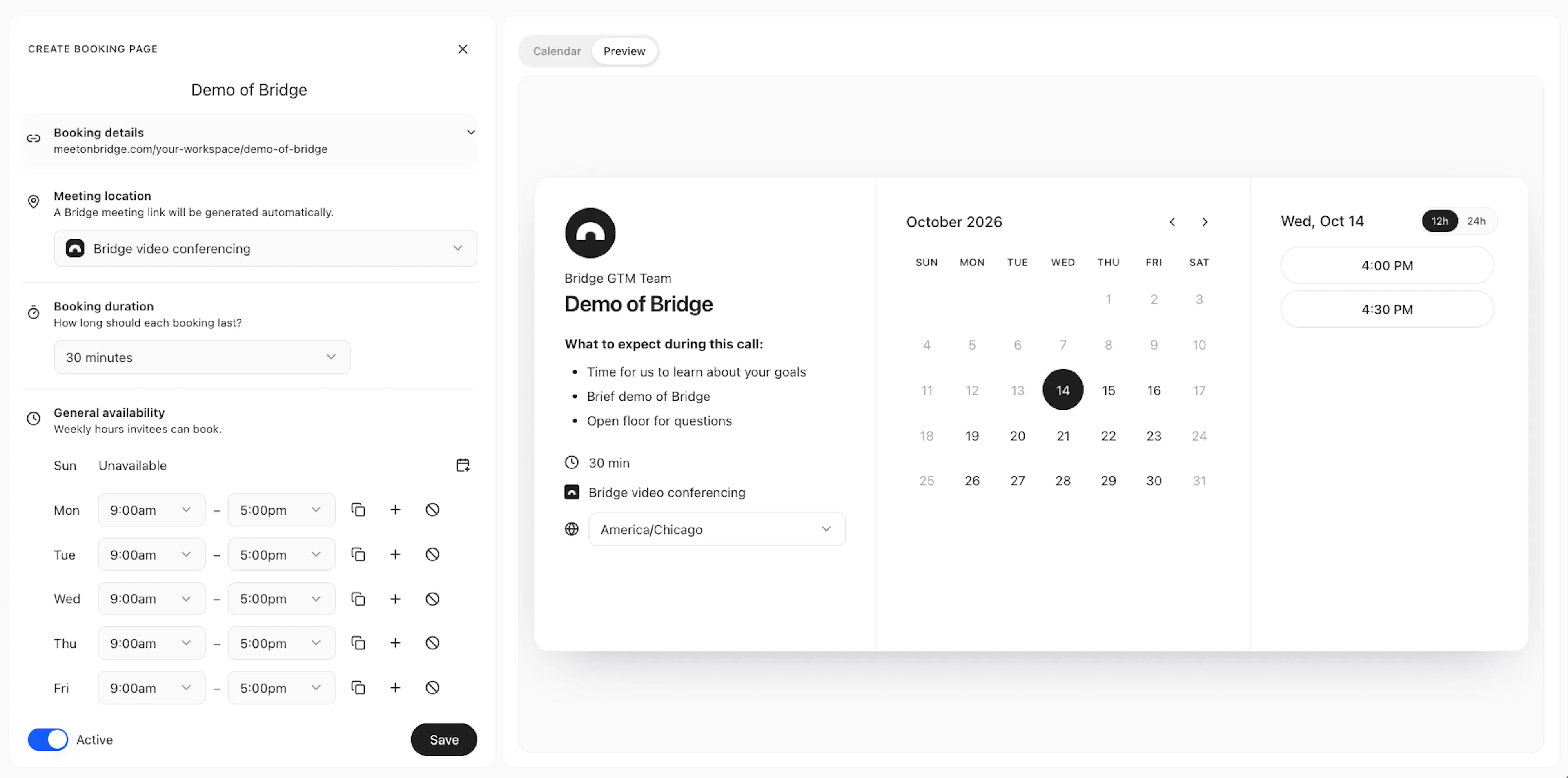
When you create or edit a booking page, you can configure:
- Booking page name
- Booking details (host avatar, host name, description, booking link slug)
- Hosts and scheduling methods (e.g. one-on-one, round robin, etc)
- Meeting location (default set to Bridge video conferencing)
- Meeting duration (preset or custom)
- General availability
- Scheduling windows
- Custom booking form (name and email are always required).
- Connected calendars
- Connected apps
- Automated notifications
- Tracking parameters (coming soon)
- Meet instantly setup (coming soon)
- View calendar availability or booking page preview
See Configure booking pages for configuration details.
Visitor experience
When someone opens your public booking URL, they can change the timezone, select an available time slot, and enter the form details as you have defined them.
They receive an instant email confirmation and a calendar invite with the Bridge meeting link. They do not need a Bridge account to schedule meetings or join meetings.
See Visitor experience for the complete booking flow.